
Text to Handwriting - Convert Typed Text Into Real
Does your handwriting feel messy, rushed, or too hard to read? Many USA students type faster than they write, yet school tasks, college assignments, class notes, study notes, and personal pages often look better with a handwritten touch. That is where text to handwriting becomes useful. A smart text to handwriting converter lets you convert typed text into handwriting without spending hours hunched over a notebook like a tired scribe.
A tool like TextToHandwritings.com gives you a quicker path. You can turn typed words into realistic handwritten notes, choose paper styles, adjust ink, and download the final page. It works like a digital pen that obeys your settings. You still control the message, but the handwriting generator handles the visual work.
This guide explains how text to handwriting works, why TextToHandwritings is useful, and how you can create handwritten notes online for assignments, projects, letters, printable pages, and creative work. You will also learn about the custom header feature, PDF export, PNG export, paper options, handwriting fonts, ethical use, and practical examples for English and Hindi written content.
Insert Formula
Equations, short formulas, fractions, and study symbols often make notes feel more complete. When you create schoolwork, math explanations, science pages, or revision sheets, formula support can make your handwritten page look more authentic. A text to handwriting workflow with formula-friendly formatting helps you build cleaner study material without mixing screenshots, plain text, and awkward spacing.
For example, a student writing physics notes may need speed, distance, and time formulas on the same page. A learner preparing algebra notes may need fractions or simple expressions. When the formatting stays readable, the result feels closer to a real notebook. That matters because a handwritten page should not only look pretty; it should also help you learn, revise, and explain ideas clearly.
Text to Handwriting Converter
A text to handwriting converter is an online handwriting tool that changes typed words into handwritten-looking pages. You type or paste your text, choose a handwriting style, adjust the page, and download the output. Instead of writing every line by hand, you use a digital handwriting converter to create a page that looks like it was written with a pen.
This kind of tool helps when you need typed text to handwriting for school homework, online assignments, digital submissions, printable notes, or personal writing. It can also work as a handwriting maker, handwriting changer, realistic handwriting converter, and AI tool to convert text into handwriting. For busy people, it is a practical manual writing alternative that can save time without making the page look cold or robotic.
How to use the Text to Handwriting tool
Using a text to handwriting tool is simple. You open the website, add your content, choose the look, check the preview, and download the file. The process feels similar to typing in a document editor, but the final result looks like handwritten work on paper. That is why many people call it a free text to handwriting converter online.
However, the best results come from small choices. Font size, ink style, spacing, paper design, and margins can change the whole personality of the page. A neat page can look like careful classroom work. A casual page can look like a quick journal entry. A page with a header can look like a proper assignment. These little details do the heavy lifting.
Step-by-Step Guide:
A simple workflow keeps everything clean: open the tool, type your text or paste your text, choose the handwriting style, adjust the paper, check the preview, and download the final file. You can edit typed text before converting it, which helps you catch mistakes before they become part of the final handwritten page. It is much easier to fix a sentence before export than to redo a full page later.
How To Use Handwriting AI?
Handwriting AI works best when you treat it like a helpful writing assistant, not a magic wand. You still prepare the content, organize your ideas, and check your wording. Then the tool helps you generate handwritten notes with a more natural look. This is useful for study sheets, teacher handouts, printable notes, professional notes, personal letters, thank-you notes, and birthday notes.
A good AI handwriting generator should not make the process confusing. It should let you choose handwriting style, choose text settings, choose paper type, select page settings, adjust font size, adjust ink color, review handwritten preview, and then download as PDF, download as PNG, or download as JPG. When the tool follows that clear path, you can convert notes within seconds and share handwritten notes online without stress.
1- Open the Tool
First, open your browser and open TextToHandwritings.com on your phone, tablet, laptop, or desktop. The page is built for quick access, so you do not need special software or a complicated setup. Once the editor loads, you can start preparing your handwritten page. This matters for students who move between school, home, library, and dorm life. You can work wherever you have a browser and internet access.
2- Design Custom Header
Next, design custom header details if your page needs a formal academic look. You can use the custom header feature to add an assignment title header, class name, subject, date, student details, or a school logo header. When you upload custom header elements, the page looks more organized and assignment-ready. A custom header works like the front porch of a house; it gives the page a proper entrance before the main content begins.
3- Choose Other Settings
After the header, choose your page and layout settings. This is where you decide whether the page should look like a notebook, assignment sheet, exam sheet, or clean printable page. You can select paper size, margins, spacing, and page type based on the final purpose. A student may prefer an assignment page style, while a teacher may choose simple printable material for classroom use.
4- Choose Your Text Settings
Now adjust the text settings carefully. You can choose the language, handwriting style, font size, spacing, and ink color. This step helps you move from plain typed text toward text to handwritten notes. For example, English notes may look better with a neat handwriting font, while creative writing may suit a softer cursive style. The right font can make your page feel polished, personal, or relaxed.
5- Edit & Type the Text
Now come to the editor and add your content. You can type manually or paste a longer draft. Before creating the final page, check grammar, spelling, and structure. This is important because the tool gives your text a handwritten look, but it does not change weak writing into strong writing by itself. Clean content plus clean formatting creates better results. That is the real recipe.
6- Review & Download
Before downloading, review the output carefully. Look at line breaks, spacing, margins, headers, and ink color. If the page feels crowded, adjust spacing. If the letters feel too large, reduce the font size. Then you can download handwritten notes in your preferred format. You may download as PDF for printing, download as PNG for image sharing, or download as JPG when you need a standard image file.
Key Features and What Makes Text to Handwriting Stand Out
The best thing about text to handwriting is control. You are not stuck with one boring font or one fixed page. A strong handwriting generator gives you layout choices, handwriting styles, spacing options, ink colors, page backgrounds, and export formats. That flexibility helps your final page look less mechanical and more human.
TextToHandwritings.com stands out because it combines speed, simplicity, and customization. You can create typed notes into handwritten pages, export them, and use them for learning, printing, sharing, or personal writing. The tool is not just a basic font switcher. It works more like a small handwriting workspace where you shape the whole page, not only the letters.
| Feature Area | What It Helps You Do | Best Use Case |
|---|---|---|
| Handwriting style | Create natural handwritten text | Assignments, study notes, letters |
| Paper style | Match the page to the task | Notebook pages, A4 pages, exam sheets |
| Header tools | Add identity and structure | School projects, college work |
| Export options | Save files in useful formats | PDF printing, PNG/JPG sharing |
| Spacing controls | Improve readability | Long notes, essays, reports |
| No signup access | Start quickly | Fast student and teacher use |
Key features Of handwriting generator?
The features of a handwriting generator matter because every page has a different purpose. A birthday note should not look like an exam sheet. A study page should not look like a casual letter. A class assignment needs structure, while a journal entry needs warmth. Good customization lets you shape each page for its real use.
A strong free handwriting generator should feel simple but not shallow. It should give you the right settings without drowning you in buttons. This balance helps high school students, college users, teachers, writers, and professionals create neat handwritten pages with less effort. Below are the key features that make the tool more useful.
1- Simple design interface
A simple design interface helps you start quickly without reading a giant manual. The menus, editor, preview, and download options should feel clear from the first visit. This is important because many users need a fast result, not a puzzle. When the interface is clean, even a younger student can create handwritten assignments without feeling lost. The tool should feel like opening a notebook, not entering a spaceship cockpit.
2- Fast & Live Preview
A live handwriting preview gives you instant visual feedback while you work. A fast live preview is even better because you can see changes without waiting. If the writing looks too wide, too dark, or too cramped, you can fix it before downloading. This saves time and avoids repeated exports. A good live preview turns the editing process into a quick conversation between you and the page.
3- Free To Use
A free to use handwriting tool is helpful because many students and casual users cannot pay for every small online task. When a tool stays free, it becomes easier for people to create homework notes, draft pages, and study sheets without buying extra software. A free handwriting generator also helps teachers, parents, and busy users test ideas quickly before deciding how to print or share them.
4- Custom Header Feature
The custom header feature gives your page a formal and organized look. You can upload custom header graphics, add a school logo header, write an assignment title header, place a date, add subject details, or include student information. This is especially useful for college projects and school submissions where presentation matters. A proper header can turn a plain page into a polished assignment sheet.
5- Image & PDF Export
Strong export options make the tool practical. With image and PDF export, you can save pages in the format you need. PDF export is ideal for printing and organized submissions. PNG export is useful when you want a clear image with strong quality. JPG export works well for regular sharing and common file use. These options help you create HD handwritten notes and print-ready handwritten pages without using another editor.
6- Notebook & Paper Styles
Different notebook paper styles make handwritten pages feel real. A lined paper style works well for school notes and writing practice. A plain paper style suits letters, quotes, and creative writing. An A4 paper style is useful for printing, while an assignment page style and exam sheet style can help academic work look more familiar. Paper style is not a tiny detail; it changes the whole mood of the page.
7- Multiple Handwriting Fonts
Multiple handwriting fonts help the page avoid a stiff computer-made look. Good tools may offer human-like handwriting fonts, cursive handwriting fonts, a neat handwriting font, and even a messy handwriting style for more casual results. This variety matters because real people do not all write the same way. A formal assignment may need tidy writing, while a personal note may look better with a warmer, less perfect hand.
8- Custom Ink Colors
Custom ink colors help you choose the writing mood. Blue pen handwriting feels common and student-friendly. Black pen handwriting looks formal and clean. Red ink handwriting can work for headings, corrections, or emphasis. A pencil effect handwriting style can feel soft and draft-like. A fountain pen style looks elegant, while ballpoint pen writing feels familiar and everyday. Ink is like seasoning; a small change can shift the whole flavor.
9- Custom Spacing & Margins
Custom spacing and custom margins help your handwritten page breathe. Line spacing control keeps lines readable. Word spacing control prevents crowded text. Handwriting size adjustment helps you make the page compact or spacious. These details are especially useful for long essays, notes, and reports. Without spacing control, a page can look squeezed. With good spacing, the same content feels calm and organized.
10- No Sign Up Required
No sign up required means you can start without creating an account. A no registration handwriting tool saves time and reduces friction. This matters when you need a quick note before class, a printable page before a deadline, or a simple document without filling forms. Nobody wants to wrestle with email verification when the clock is already tapping its foot.
11- Frequent Updates
Frequent updates show that a tool is still improving. Updates may bring new fonts, cleaner page layouts, better export quality, stronger mobile performance, and more customization. This matters because user needs change over time. A tool that grows with feedback can become more reliable. It is like a notebook that quietly adds better paper every few weeks.
Who Can Benefit From Text To Handwriting Tool
A text to handwriting tool can help many people because handwriting has many uses. Some users need schoolwork. Some need creative pages. Some need personal messages. Others want clean printable notes without spending hours writing by hand. This is why create handwritten notes online for free is such a useful idea.
The tool is not only for students. Teachers, writers, professionals, content creators, parents, and busy users can all benefit. When used responsibly, it gives digital writing a human touch and a personal touch. It can turn plain text into creative handwritten content that feels warmer and more memorable.
Students
Students often need readable pages for school homework, study notes, college assignments, and class projects. A text to handwriting converter for USA students can help when someone types faster than they write or struggles with messy writing. It can also be a poor handwriting solution when allowed by the teacher. For long drafts, students can convert typed assignments into handwritten notes and spend more time learning instead of fighting their pen.
Teachers
Teachers can use a handwriting generator to create teacher handouts, classroom samples, writing practice pages, and friendly study material. A handwritten-looking page can feel softer than a plain typed worksheet. It gives younger learners a familiar notebook feel. Teachers may also use it to prepare examples for handwriting practice, language learning, and revision sheets.
Professionals
Professionals can use text to handwriting for professional notes, warm client messages, workshop pages, creative presentations, and printed reminders. A handwritten look can make a message feel less corporate and more thoughtful. For example, a thank-you message after a meeting may feel more personal when it looks handwritten. It gives a small spark to communication that often feels too polished and distant.
Writers
Writers can use a handwriting maker to test how poems, quotes, journal pages, short stories, or letters look on paper. Sometimes words feel different when they look handwritten. A poem may feel more intimate. A quote may look better as a printable wall piece. A journal entry may feel less sterile. The tool gives writers a visual playground without wasting paper.
People
People with hand pain, poor handwriting, limited time, or difficulty writing long pages may find a digital handwriting converter helpful. It gives them clean handwriting without physical strain. It can also help someone create notes for gifts, reminders, letters, and family messages. A simple handwritten-looking page can carry more charm than a plain text document.
Busy Man
A busy man, busy parent, busy student, or busy worker may not have time to write long pages by hand. Life moves fast, deadlines bite, and nobody wants to spend midnight rewriting notes. A quick handwritten output tool helps you type once and convert quickly. It gives you stress-free writing when time is short and presentation still matters.
Everyone
Everyone who wants typed text to handwritten notes free online can use this kind of tool. It can help with letters, cards, notes, projects, printables, study pages, and simple personal writing. You do not need design skills. You do not need perfect handwriting. You only need your text, a few settings, and a clear idea of how the final page should look.
Capturing the nostalgia of text to handwriting content
Handwriting carries memory. It reminds people of school notebooks, classroom desks, paper letters, diary pages, and small notes left on kitchen tables. That feeling is hard to recreate with plain typed text. This is why nostalgic handwriting can feel powerful. It brings an old-school notebook style into a digital world.
However, nostalgia alone is not enough. The tool must also be practical. Text to handwriting combines digital convenience with a warm handwritten feel. You get the speed of typing and the appearance of real writing. It is like putting a vinyl record soul inside a modern speaker. The result feels familiar, but the process stays easy.
Benefits Of Our Text to Handwriting Tool
The main benefit is speed. You can generate handwritten notes from typed text without rewriting every line. This helps students with long notes, teachers with worksheets, writers with creative pages, and professionals with personal messages. It is a clear manual writing alternative for anyone who wants a neat page without wrist pain or wasted time.
The second benefit is presentation. A page with readable handwriting, proper spacing, good margins, and a clean layout feels more trustworthy. You can create natural-looking assignments, professional-looking assignments, organized handwritten work, and better presentation with fewer mistakes. A clean page does not guarantee better ideas, but it helps your ideas land softly.
| Benefit | Why It Matters | Example |
|---|---|---|
| Speed | You avoid rewriting long pages | Turn typed notes into a printable sheet |
| Neatness | The page stays readable | Create clean class notes |
| Control | You adjust style and layout | Pick ink, paper, spacing, and font |
| Flexibility | You can edit before export | Fix grammar before generating |
| Personal feel | The page feels warmer | Make a thank-you note more memorable |
| Quality | The output looks polished | Save HD pages for printing |
A thoughtful note becomes even more powerful when handwritten.
A thoughtful note already has value, but a handwritten look can make it feel more sincere. Think about a birthday message, a thank-you note, or a short encouragement letter. Typed words may say the right thing, yet handwriting makes the message feel closer. It is the difference between hearing a recorded greeting and receiving a small note on your desk.
With text to handwriting, you can create that feeling without needing perfect penmanship. You can write the message digitally, choose the style, adjust the layout, and export it. This gives you the heart of handwriting with the ease of typing. Used well, it turns a simple message into something that feels considered, warm, and worth keeping.
Examples of text to handwriting converter
Examples help you understand the real value of a text to handwriting converter. A feature list is useful, but seeing how the tool handles different languages and page types gives a clearer picture. You can create school pages, practice notes, personal messages, assignment drafts, and language examples with the same workflow.
The tool can support both English and Hindi-style workflows, which makes it useful for different learners and writing needs. You may create an English handwritten assignment, a Hindi handwritten assignment, a journal page, or a study note. A good handwriting output example should show natural spacing, readable letters, and a page style that fits the purpose.
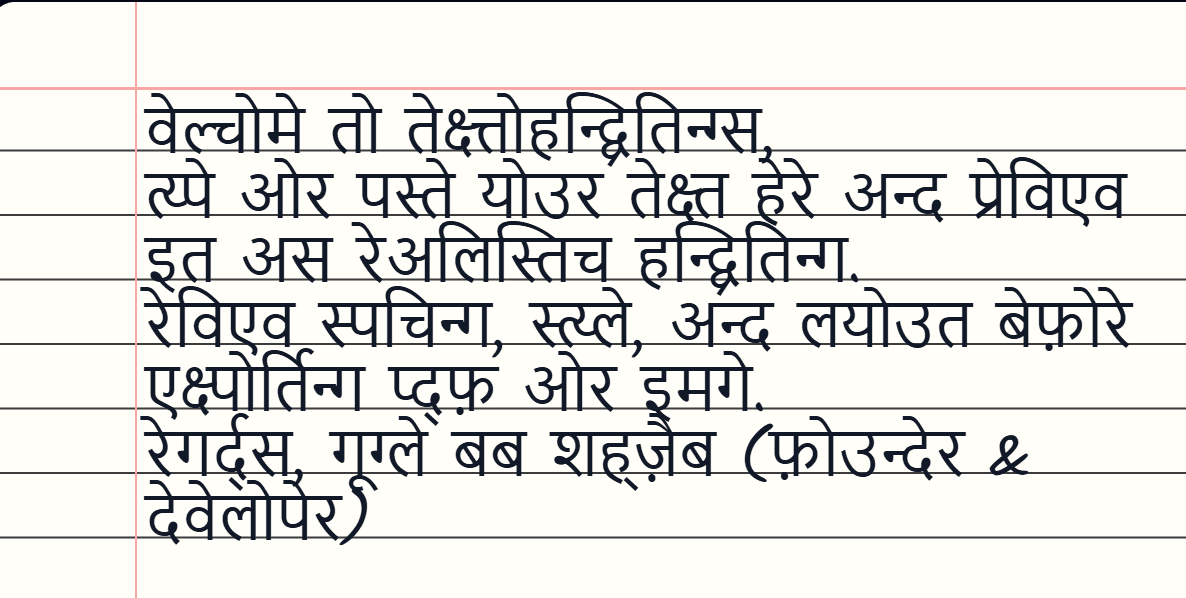
1- Example of Hindi Written Text
A Hindi handwritten text page can be useful for language practice, study material, and assignment-style work. A Hindi written text example may include short paragraphs, grammar practice, poetry, or school notes. When converted properly, the final Hindi handwritten assignment should look clean and balanced. This is also where typed Hindi to handwriting becomes useful because learners can prepare text digitally before creating the handwritten-style page.
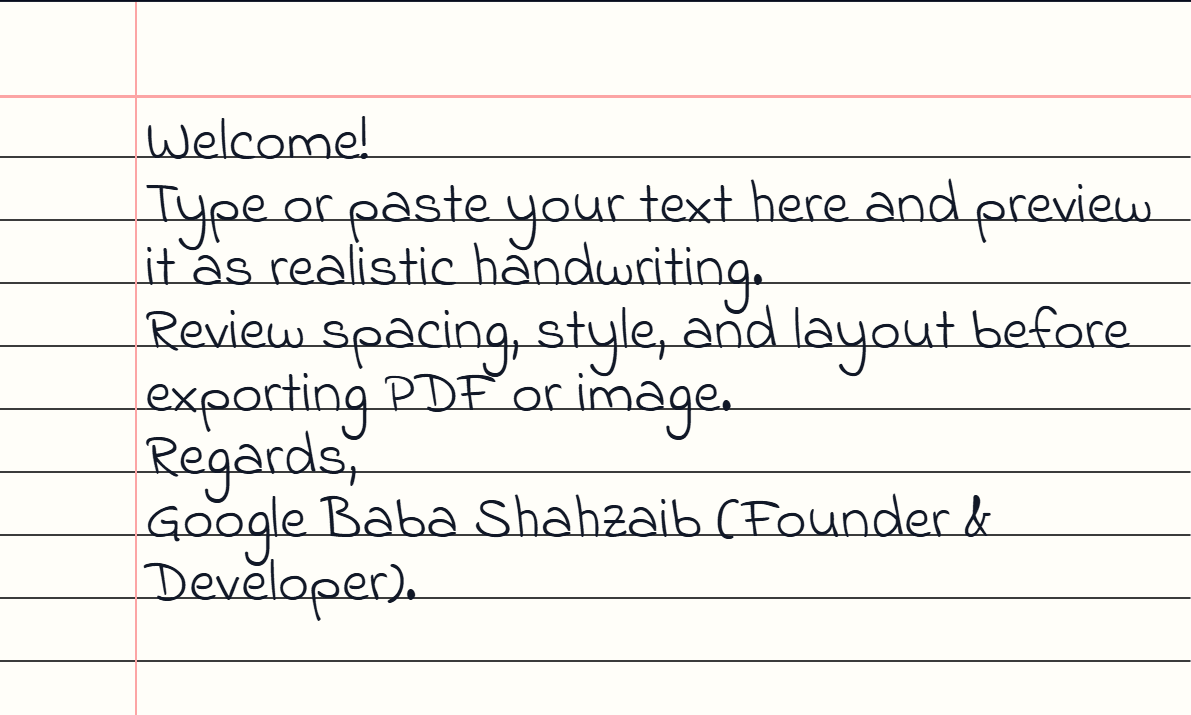
2- Example of English Written Text
An English handwritten text page can help with notes, projects, essays, letters, and study sheets. A strong English written text example should look clear, readable, and natural. Students may use typed English to handwriting for drafts, while writers may use it for quotes or journal pages. A good handwritten assignment example, realistic handwriting example, or generated handwriting sample should feel close to real pen writing without looking too perfect.
Ethical Use and Disclaimer
Every useful tool needs responsible use. A text to handwriting tool can help with formatting, presentation, creativity, and productivity, but it should not be used to mislead people. Ethical use of handwriting generator means you use the tool for your own writing, your own notes, and allowed tasks. It should support your work, not replace honesty.
You should use handwriting tool responsibly, respect academic honesty, create original content, and follow teacher rules. Do not cheat in school, do not hide copied work, and do not pretend generated writing is your natural handwriting when that matters. Good student responsibility means using the tool for personal work only, to format your own writing, avoid copied content, and practice honest handwriting tool use.
Final thoughts
Text to handwriting is useful because it brings together speed, control, and warmth. A tool like TextToHandwritings.com helps you create realistic handwritten notes, choose page styles, adjust ink, use fonts, preview the page, and download the result. It can help students, teachers, writers, professionals, and everyday users create handwritten-looking pages without wasting hours. Used with ethical use, it becomes a smart way to improve presentation, save time, and give digital text a more human face.
Faqs
These FAQs answer common questions about text to handwriting, TextToHandwritings.com, and using a handwriting generator for school, personal, and professional pages.
The answers are written in simple English so you can understand the tool quickly before using it for notes, assignments, letters, or printable pages.
What is TextToHandwritings.com?
TextToHandwritings.com is an online text to handwriting converter that helps you turn typed text into handwritten-looking pages. You can use it to create notes, assignments, letters, study pages, and printable documents with a realistic handwriting style.
Is TextToHandwritings.com free to use?
Yes, TextToHandwritings.com is presented as a free tool for creating handwritten-style pages online. It is useful when you need a text to handwriting converter no sign up experience and want to start quickly without payment friction.
How do I convert typed text into handwriting?
To learn how to convert typed text into handwriting, open the tool, paste or type your text, choose handwriting settings, preview the page, and download the final result. This process helps you convert text into realistic handwritten assignment pages with less effort.
Can I download handwritten notes as PDF?
Yes, you can download handwritten notes as PDF when you need printable or organized files. A text to handwriting tool with PDF download is especially useful for assignments, study pages, reports, and multi-page handwritten documents.
Does the handwriting generator require signup?
The tool is designed with no sign up required, so you can begin without creating an account. This makes it a helpful no registration handwriting tool for quick notes, simple assignments, and fast handwritten page generation.
Can I change handwriting fonts?
Yes, you can choose from multiple handwriting fonts to create a more natural page. The tool may include human-like handwriting fonts, cursive handwriting fonts, a neat handwriting font, and casual styles for different writing needs.
Can I use different ink colors?
Yes, you can use custom ink colors to change the page style. You may choose blue pen handwriting, black pen handwriting, red ink handwriting, pencil effect handwriting, fountain pen style, or ballpoint pen writing depending on the result you want.
Who should use a text to handwriting converter?
Students, teachers, writers, professionals, busy users, and everyday people can use a text to handwriting converter. It is helpful for handwritten assignments, personal notes, printable pages, creative content, and warm messages.
Is text to handwriting useful for USA students?
Yes, text to handwriting can be useful for USA students when allowed by school or teacher rules. It can help with class notes, study notes, college assignments, school homework, and clean assignment-style pages.
Should this tool be used ethically?
Yes, ethical use matters. You should use the tool for your own writing, follow academic rules, and avoid copying someone else's work. A handwriting tool is best when it supports learning, creativity, and honest presentation.